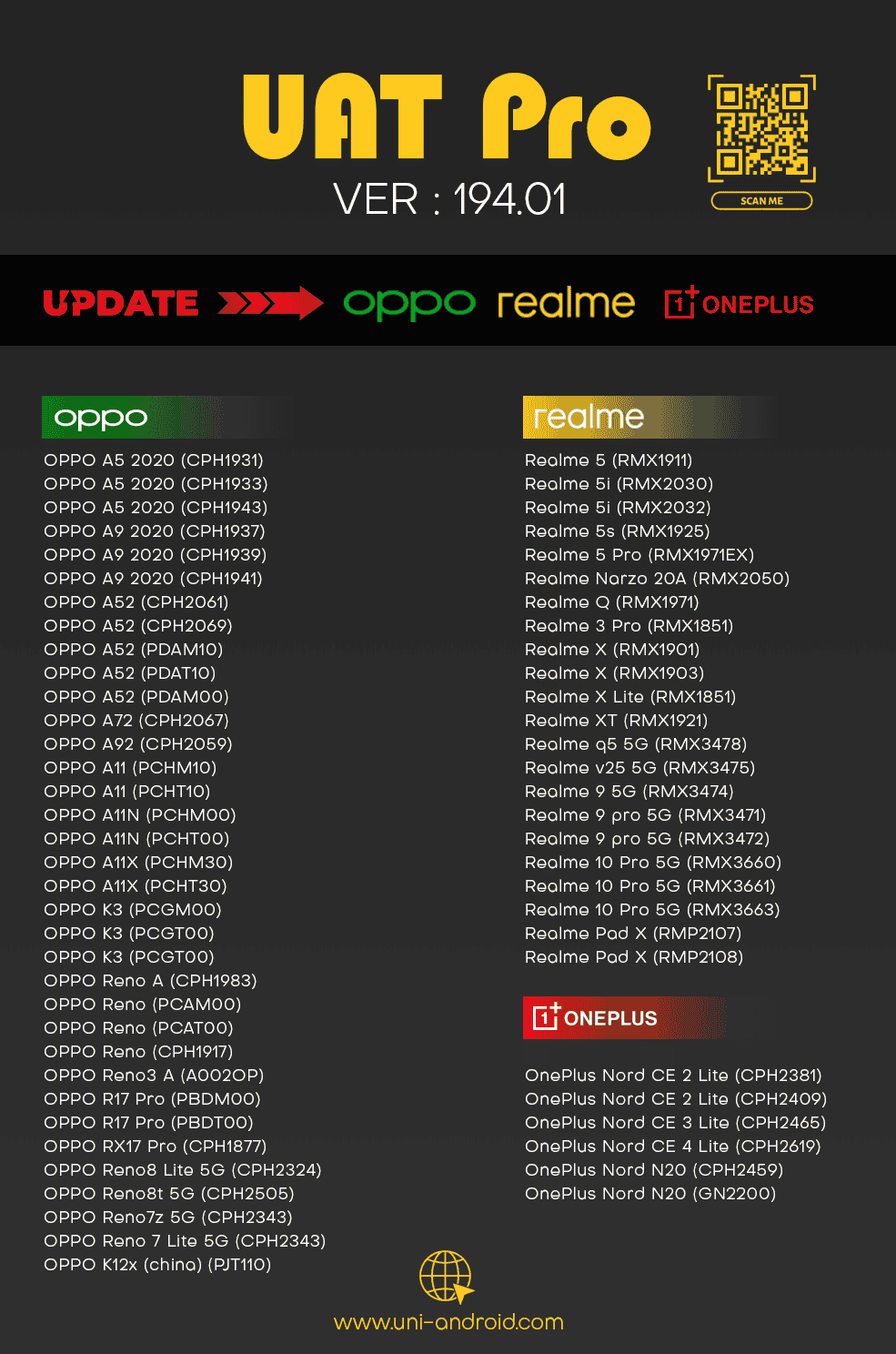
UAT PRO V194.01 [01-12-2025] Support for Oppo/Realme/Oneplus Qualcomm
JOIN US ON TELEGRAM GROUP FOR HELP , SUPPORT AND DISCUSSION
UAT PRO Official Support
💻 PC CHANGE TIME IS 60 MINUTES
📃 AUTO API IS AVAILABLE FOR ALL DISTRIBUTORS AND RESELLERS
🤝 NEW RESELLERS ARE WELCOME
UAT PROVersion : 194.01
Release Notes:
☀ OPPO | REALME | ONEPLUS
ADDED -Following Models Support by EDL Mode
Factory Reset | Reset FRP | Read | List Partitions
OPPO
🌟 OPPO A5 2020 (CPH1931)
🌟 OPPO A5 2020 (CPH1933)
🌟 OPPO A5 2020 (CPH1943)
🌟 OPPO A9 2020 (CPH1937)
🌟 OPPO A9 2020 (CPH1939)
🌟 OPPO A9 2020 (CPH1941)
🌟 OPPO A52 (CPH2061)
🌟 OPPO A52 (CPH2069)
🌟 OPPO A52 (PDAM10)
🌟 OPPO A52 (PDAT10)
🌟 OPPO A52 (PDAM00)
🌟 OPPO A72 (CPH2067)
🌟 OPPO A92 (CPH2059)
🌟 OPPO A11 (PCHM10)
🌟 OPPO A11 (PCHT10)
🌟 OPPO A11N (PCHM00)
🌟 OPPO A11N (PCHT00)
🌟 OPPO A11X (PCHM30)
🌟 OPPO A11X (PCHT30)
🌟 OPPO K3 (PCGM00)
🌟 OPPO K3 (PCGT00)
🌟 OPPO K3 (PCGT00)
🌟 OPPO Reno A (CPH1983)
🌟 OPPO Reno (PCAM00)
🌟 OPPO Reno (PCAT00)
🌟 OPPO Reno (CPH1917)
🌟 OPPO Reno3 A (A002OP)
🌟 OPPO R17 Pro (PBDM00)
🌟 OPPO R17 Pro (PBDT00)
🌟 OPPO RX17 Pro (CPH1877)
🌟 OPPO Reno8 Lite 5G (CPH2324)
🌟 OPPO Reno8t 5G (CPH2505)
🌟 OPPO Reno7z 5G (CPH2343)
🌟 OPPO Reno 7 Lite 5G (CPH2343)
🌟 OPPO K12x (china) (PJT110)
REALME
🌟 Realme 5 (RMX1911)
🌟 Realme 5i (RMX2030)
🌟 Realme 5i (RMX2032)
🌟 Realme 5s (RMX1925)
🌟 Realme 5 Pro (RMX1971EX)
🌟 Realme Narzo 20A (RMX2050)
🌟 Realme Q (RMX1971)
🌟 Realme 3 Pro (RMX1851)
🌟 Realme X (RMX1901)
🌟 Realme X (RMX1903)
🌟 Realme X Lite (RMX1851)
🌟 Realme XT (RMX1921)
🌟 Realme q5 5G (RMX3478)
🌟 Realme v25 5G (RMX3475)
🌟 Realme 9 5G (RMX3474)
🌟 Realme 9 pro 5G (RMX3471)
🌟 Realme 9 pro 5G (RMX3472)
🌟 Realme 10 Pro 5G (RMX3660)
🌟 Realme 10 Pro 5G (RMX3661)
🌟 Realme 10 Pro 5G (RMX3663)
🌟 Realme Pad X (RMP2107)
🌟 Realme Pad X (RMP2108)
ONEPLUS
🌟 OnePlus Nord CE 2 Lite (CPH2381)
🌟 OnePlus Nord CE 2 Lite (CPH2409)
🌟 OnePlus Nord CE 3 Lite (CPH2465)
🌟 OnePlus Nord CE 3 Lite (CPH2467)
🌟 OnePlus Nord CE 4 Lite (CPH2619)
🌟 OnePlus Nord N20 (CPH2459)
🌟 OnePlus Nord N20 (GN2200)
💻For Users Offering Software Rental services
If you provide software on rent for aspecific duration(such as 1, 2, or 3 hours), you can nowremotely close the tool-even
after the rental time has endedwithout accessing your client's PC.
Simply manage it from the Official Website →Account Tab.
💻For Remote Work Technicians
⚠️Lost Client PC Connection?
If your connection to the client’s PC is lost but the tool remains open on their system —no need to change your password.
🌐Close Tool Remotely
You can nowclose the tool directlyfromOfficial Website →Account Tab, even without direct access to the client’s PC.
🕒Track Usage History
Viewwhen and where you last used the tool, including detailed location and timestamp information.
🔵Check Real-Time Status
Instantlysee whether the tool is currently online or offline— all from theOfficial Website →Account Tab.
💾Instant PC Change Option
You can nowswitch to a new PC instantly— no need to wait for a 60-minute reset.
Simply go to theOfficial Website →PC Change Tabto make the switch.
D o w n l o a d L i n k
Setup_UAT_PRO_194.01

-: Buy Now | Official Website :-
Official Web Shop
-: Official Resellers :-
Distributors and Resellers List
-: Official Telegram Help & Support Group :-
Comments (0)
No comments yet. Be the first to comment!